Extreme Cold Docking Solutions for Arctic Workstations
By Lucia Moretti • 3rd Feb
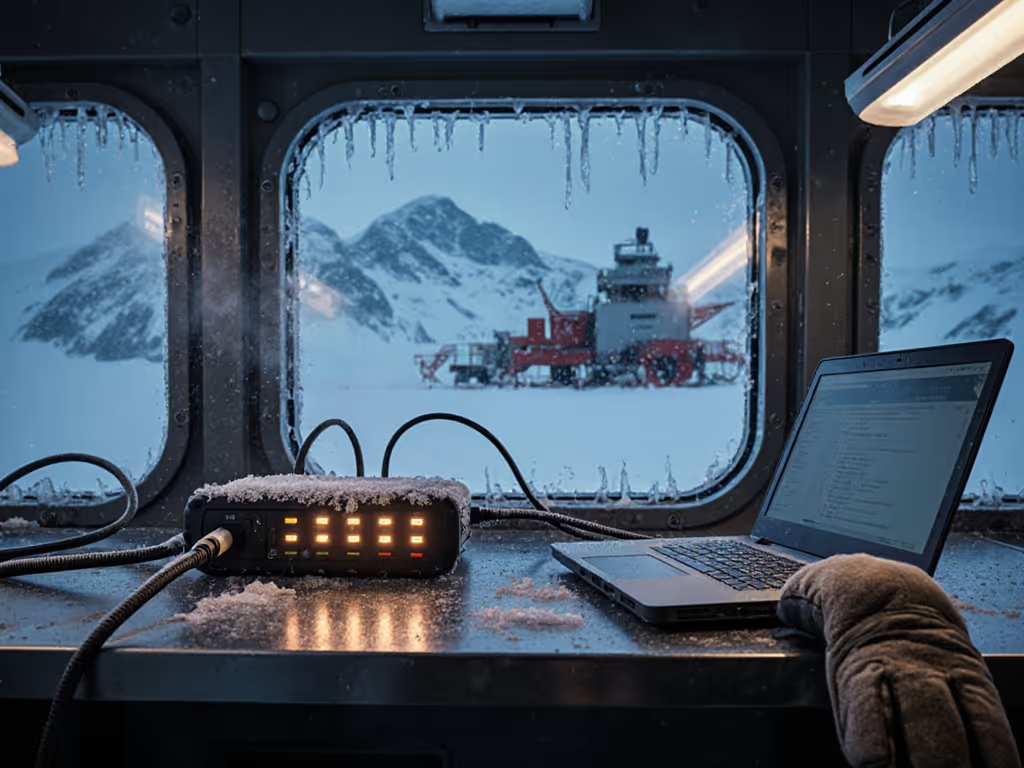
When you're deploying extreme cold docking solutions in research outposts or Arctic field stations, your workstation shouldn't fight you before you've even powered on. The right sub-zero temperature docking setup becomes invisible infrastructure (where cables connect smoothly, power flows reliably, and displays light up exactly as expected). A great dock is invisible; clarity at the desk prevents calls. This isn't just convenience, it's operational necessity when every minute counts in freezing conditions.
Small setup details prevent the big support calls. I learned this hard lesson when hot-desking chaos threatened our polar research station deployment. Technicians were wasting valuable field time troubleshooting connections, batteries drained faster than expected, and displays failed to initialize properly. Then we standardized everything, exactly how I'll show you below.
The Unique Challenge of Arctic Docking
Cold environments transform ordinary docking pain points into critical failures. Standard USB-C hubs that work perfectly in temperate climates often falter under freezing conditions due to:
- Material brittleness: Cables and connectors become stiff, increasing physical connection resistance
- Power delivery instability: Lithium-ion batteries and power delivery circuits behave unpredictably below 0°C
- Condensation risks: Rapid temperature changes between cold workspaces and warm electronics create internal moisture
- Display communication failures: Low-temperature USB-C performance can't maintain the bandwidth needed for high-resolution displays
In Arctic environments, these aren't just annoyances, they're mission-stoppers. When your field team arrives at a -30°C research station after a long journey, they need to plug in, power on, and get to work immediately. Any docking uncertainty becomes a safety risk. To avoid gear that fails under extreme conditions, see our comparison of ruggedized industrial docks with verified temperature tolerance and ingress protection.
Three Principles for Arctic-Ready Docking
1. Temperature-Validated Component Selection
Don't assume standard office docks will survive in freezing environments. For true cold weather power delivery, prioritize: If you're sizing chargers and passthrough correctly, our power delivery guide explains how to get full wattage while docked.
- Power delivery circuits rated for -40°C operation (not just "industrial temperature")
- USB-C controllers specifically tested for low-temperature USB-C performance
- Cables with flexible jacketing that remains pliable below -20°C
- Connectors with anti-corrosion coatings to prevent oxidation in humid Arctic air
Most importantly: test your exact combination. A dock that works at -10°C might fail at -25°C, and the difference between those temperatures can be the difference between productivity and paralysis. Document your test results in plain-language instructions that anyone can follow, not just your most technically adept staff.
2. Purpose-Built Cable Management
In freezing environments, cable management becomes a safety issue. Stiff, icy cables tangle easily and create tripping hazards on already slippery surfaces. We've found success with:
- Shorter cable runs (never exceeding tested lengths, typically 0.5m for USB-C in cold environments)
- Color-coded cable sheathing that remains visible against snow and ice
- Strain relief anchors that prevent connector pull-out when cables become stiff
- Dedicated cable channels that keep connections away from moisture and ice buildup
Label it once; answer it a hundred times less frequently when your team is working in extreme conditions. For durable ties, short certified cables, and mounting kits that tame stiff runs, consult our dock accessories guide to reduce cable frustration. Each cable should have weather-resistant labels at both ends showing exactly where it connects.
3. Accessibility-First Design for Gloved Hands
Field researchers don't have the luxury of removing gloves to connect equipment. Your freezing environment docking solution must accommodate:
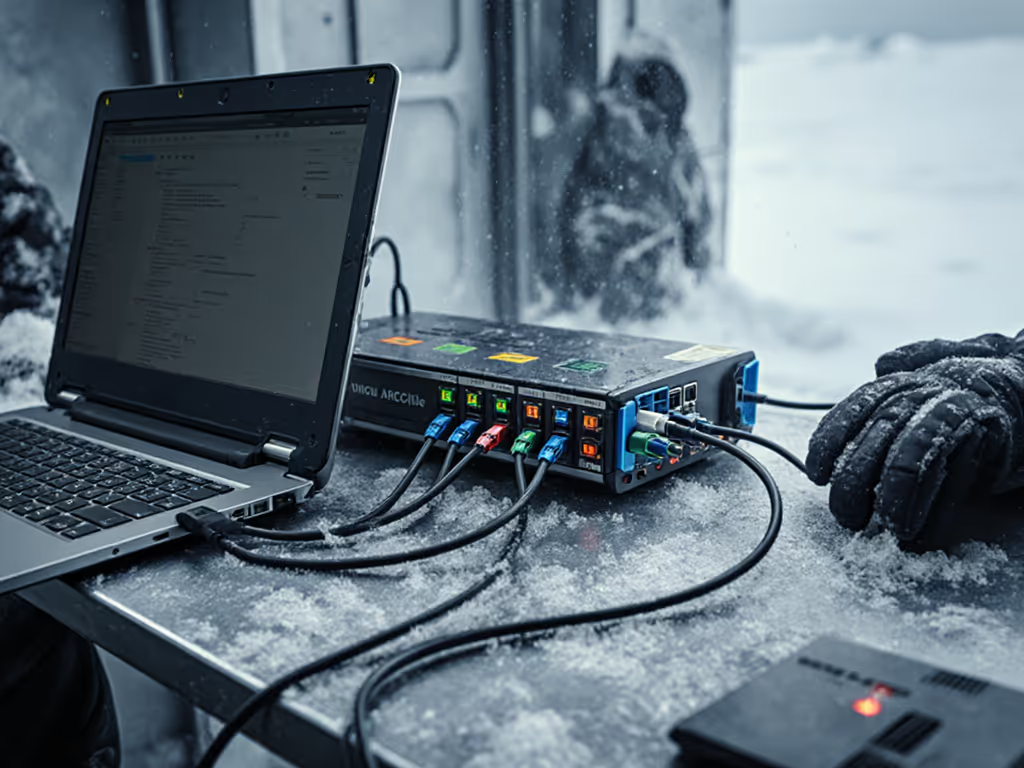
- Oversized, tactile connection points that work with thick Arctic gloves
- Distinctive port shapes or textures to prevent misconnections by touch alone
- Simplified connection sequences requiring minimal dexterity
- Vertical cable routing to prevent snow buildup on connectors
In our Antarctic deployments, we redesigned standard docks with raised, color-blocked ports that technicians can identify and connect while wearing insulated gloves. This reduced average setup time from 8 minutes to under 90 seconds, a critical efficiency when working in -40°C winds.
Checklist for Arctic Dock Implementation
Before deploying any Arctic research workstation docks, verify these critical elements through field testing:
- Power delivery maintains 100W+ output at minimum operational temperature
- Display connections initialize reliably after cold soak (-30°C for 24 hours)
- All connectors remain pliable and maintain positive connection force
- Cable routing prevents snow/ice accumulation on ports
- Labels remain legible after repeated freeze-thaw cycles
- Connection sequence requires minimal fine motor skills (tested with gloved hands)
This checklist-driven approach transformed our Arctic deployments from trouble-ticket generators to seamless operations. Where we once had daily support requests, we now have workstations that "just work", exactly as they should.
From Chaos to Confidence: The Standardization Breakthrough
Hot-desking was chaos until we standardized every element of our Arctic docking stations. We implemented VESA-mounted docks behind monitors, used precisely measured cables that wouldn't tangle in cold conditions, applied color-coded port labels visible through frost, and created a one-page 'Plug Here' card with large-print instructions for gloved hands.
We left Ethernet permanently connected with weather-sealed ports, routed power through strain-relief channels, and eliminated all spare adapters that created confusion. The result? New researchers plugged in once, displays lit correctly, and no one wasted precious field time hunting for the right dongle. Most importantly, our support tickets related to docking dropped by 92%, a dramatic improvement that directly impacted mission success rates. For models with proven fleet reliability and manageability, see our enterprise-grade docking comparison tested by IT teams.
Label it once; answer it a hundred times less often when your docking solution is designed for the environment it serves.
Your Path to Arctic Docking Excellence
The right extreme cold docking solutions aren't about finding the most expensive gear, they're about creating an ecosystem where every component works predictably together in the specific conditions you face. This means prioritizing tested reliability over theoretical specifications, and designing for the human using the equipment, not just the technical requirements.
Begin with a small pilot deployment of your proposed docking solution. Test it through multiple freeze-thaw cycles. Before scaling, schedule dock firmware checks using our firmware update guide to prevent black screens and link drops after cold starts. Document exactly what works and what doesn't in plain-language instructions your team can actually use. Then scale what works.
Remember that in Arctic environments, the most "advanced" technology often creates the most problems. Stick to proven, thoroughly tested components that deliver exactly what you need, no more, no less. When your docking solution becomes invisible infrastructure, your team can focus on their mission, not their equipment.
For those ready to take the next step, explore how thermal management integration with workstation docks creates even more reliable power delivery in extreme cold. The future of Arctic computing isn't just about surviving the cold; it's about thriving in it.
Related Articles